HOWARD UNIVERSITY HOSPITAL INTRANET
MAKING COMPLEX INFORMATION EASIER TO NAVIGATE
-
Howard University Hospital needed a new employee intranet to bring together resources, departments, information, and requests across a complex healthcare organization. With so many functions competing for space and attention, Haus5 focused on creating an experience that was comprehensive without becoming overwhelming.
-
Create a centralized digital experience that made information and resources easier for employees to find while accommodating the needs of multiple departments across the hospital.
The challenge was to balance depth with simplicity, keeping a large amount of information clean, intuitive, and easy to navigate.
-
Information Architecture
organized complex departmental content and resources into a clear structure centered on how employees find information rather than simply mirroring the hospital's organizational structure.Simplified Navigation
Clear pathways helped employees quickly reach commonly used resources, departments, and requests without navigating unnecessary complexity.User-Centered Experience
The interface was designed around employee needs, making information easier to scan, understand, and access.Engaging Digital Environment
A clean, approachable visual system transformed a large volume of internal information into a more useful and engaging employee resource.
HOWARD UNIVERSITY HOSPITAL INTRANET
SIMPLIFYING A COMPLEX ORGANIZATION THROUGH INTUITIVE INFORMATION ARCHITECTURE AND USER-CENTERED DESIGN

HOMEPAGE
A CENTRAL HUB FOR EMPLOYEES
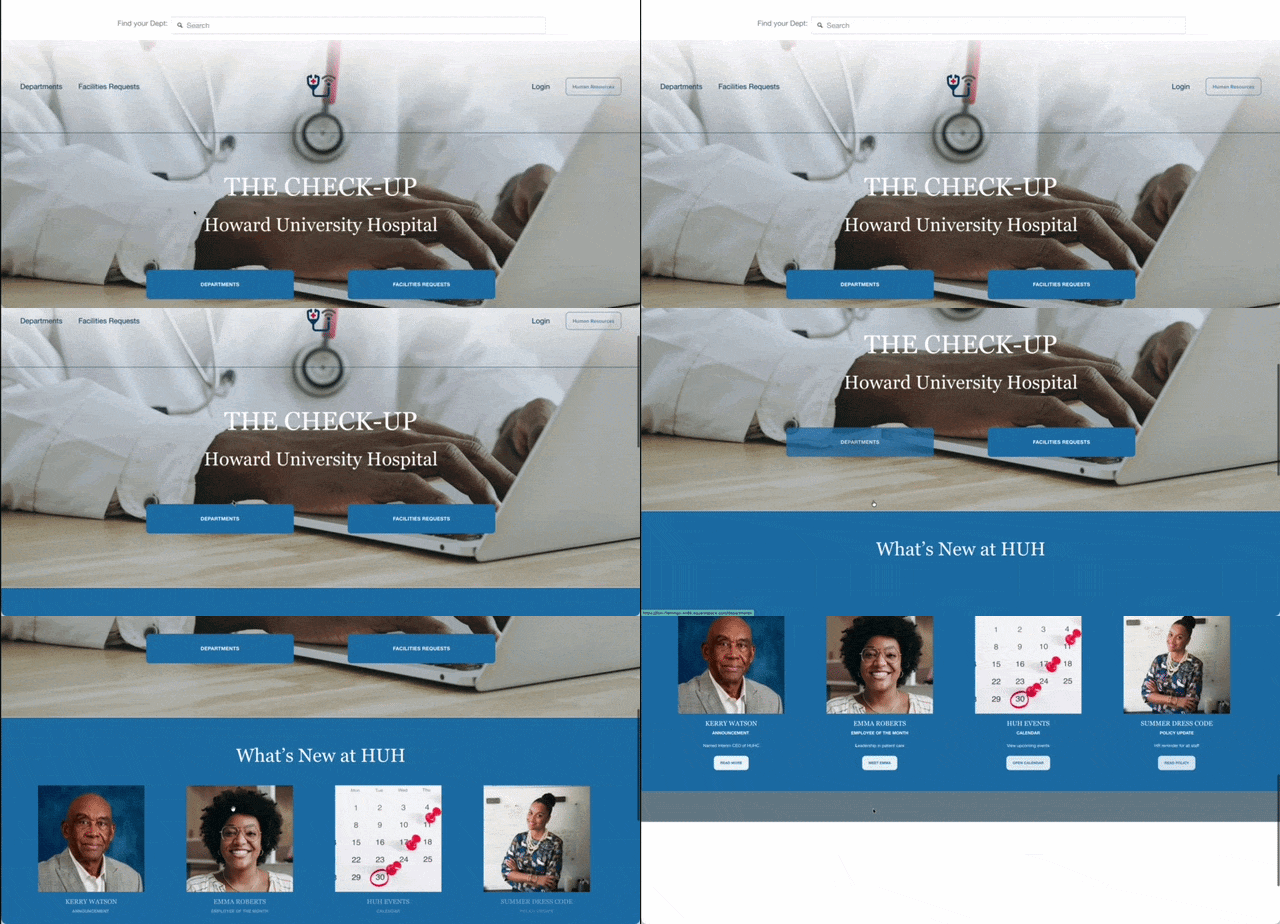
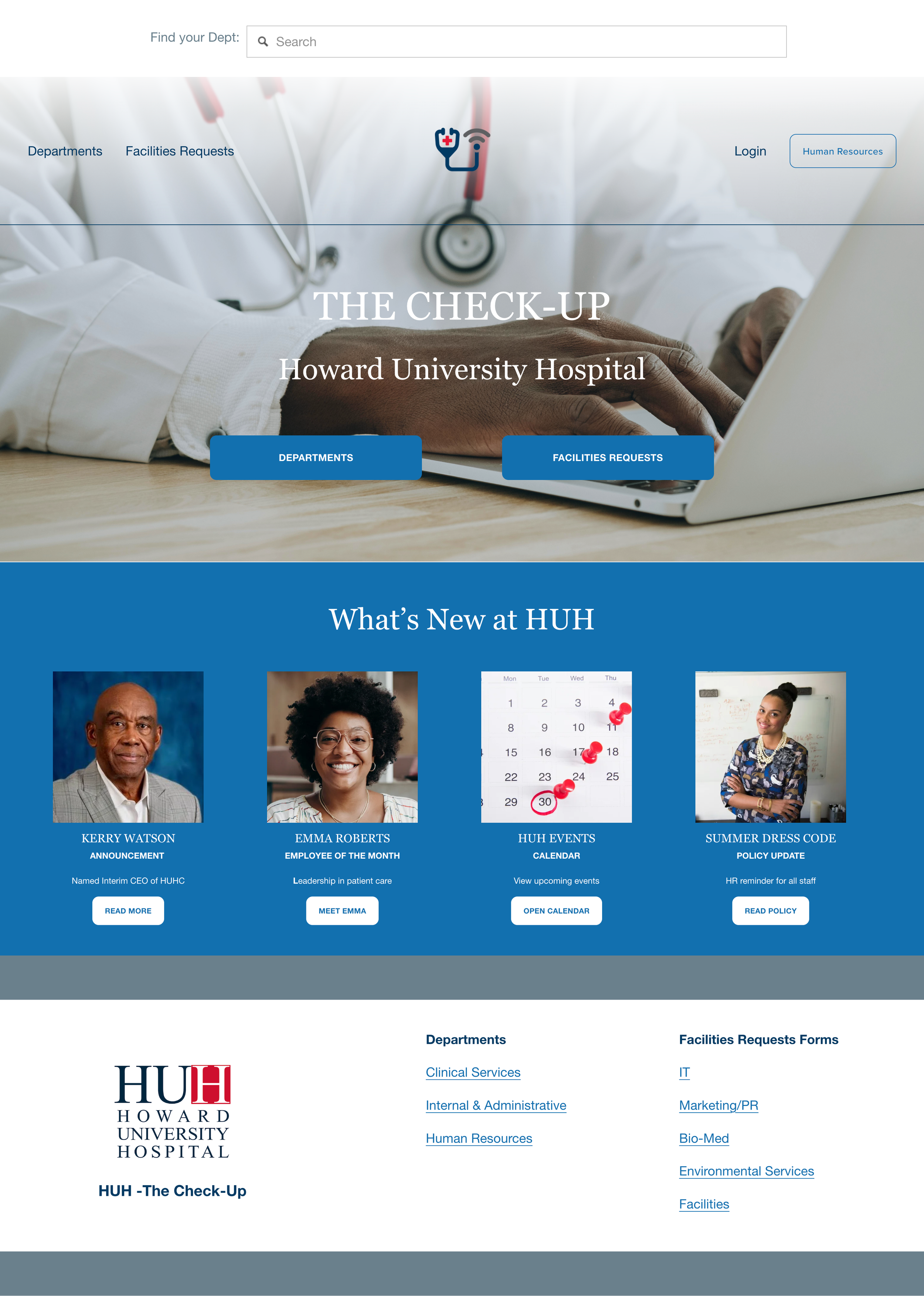
The homepage creates a clear starting point for employees, bringing together direct access to departments and service requests with hospital-wide news, announcements, events, and resources.
KEY FEATURES:
-
Department search is positioned at the top of the experience, giving employees a direct route when they already know what they need.
-
Departments and Facilities Requests are elevated as primary actions, helping employees quickly choose between finding information and completing a task.
-
A dedicated content area gives the hospital space to surface announcements, employee recognition, events, policy updates, and other timely information.
-
Human Resources and employee login remain prominently accessible without competing with the primary navigation.
DEPARTMENT DIRECTORY
SIMPLIFYING THE ORGANIZATION
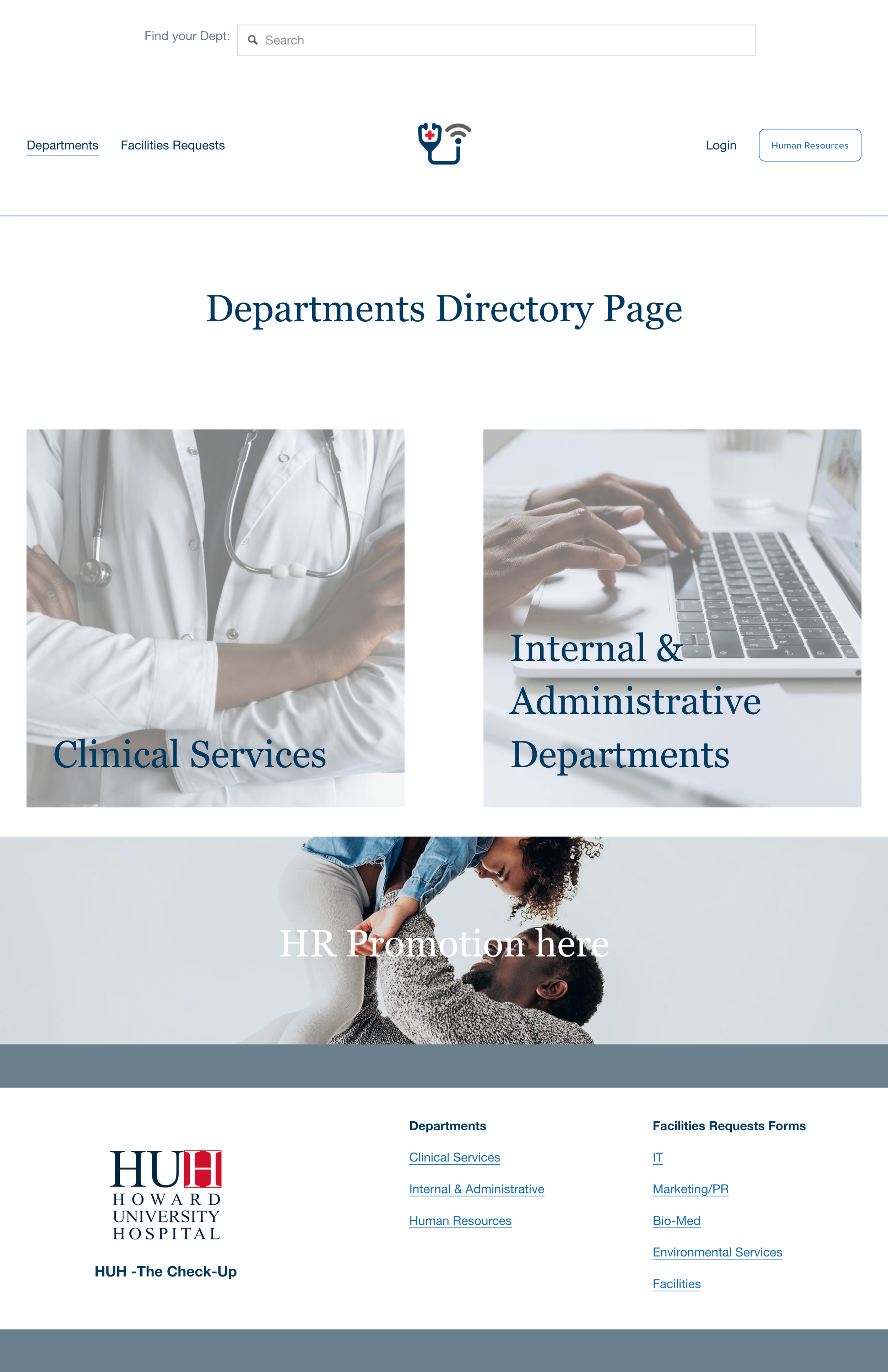
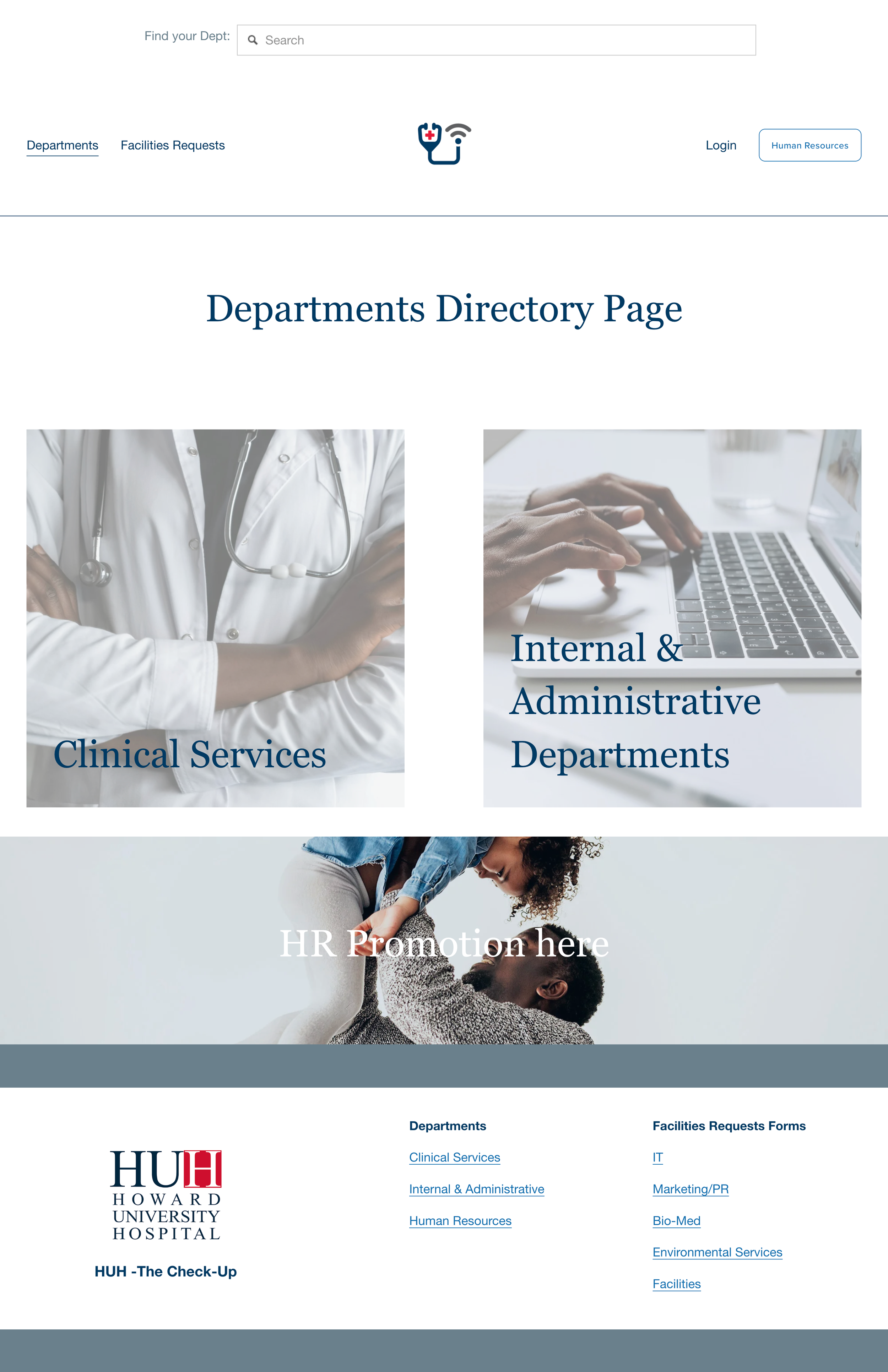
Rather than presenting employees with a long list of departments, the directory establishes clear entry points into the hospital's clinical and administrative functions.
KEY FEATURES:
-
Departments are introduced through broad categories before employees encounter more specific functions, reducing the amount of information presented at once.
-
Separating Clinical Services from Internal & Administrative Departments creates an understandable first decision within a complex organization.
-
Employees who already know what they need can bypass the directory structure and search directly for a department.
-
Dedicated promotional space allows departments such as Human Resources to surface timely programs and information without disrupting the primary navigation.
CLINICAL SERVICES
MAKING COMPLEX SERVICES DEPTS EASIER TO FIND
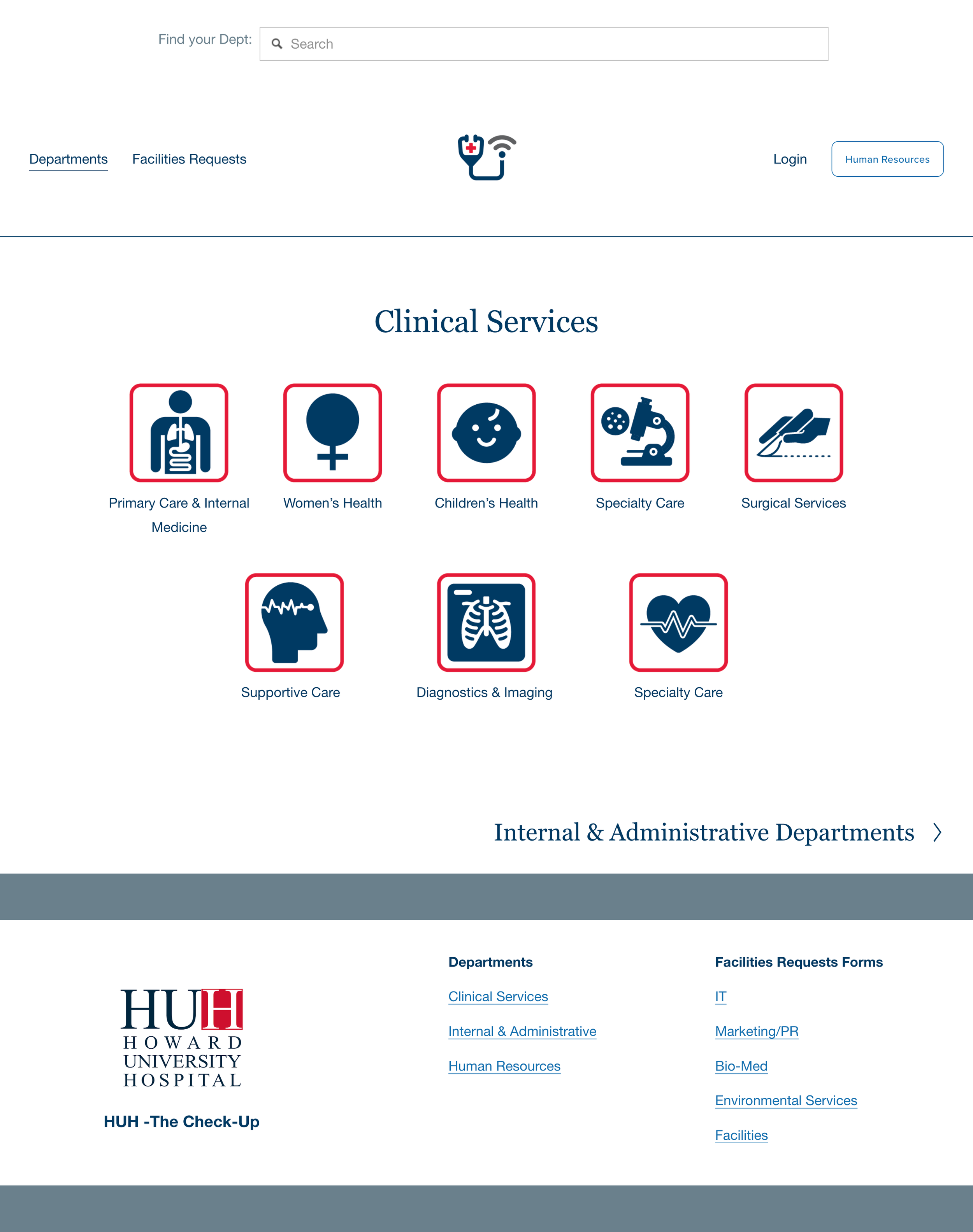
Clinical departments are organized into recognizable service categories, helping employees identify the appropriate area without needing to understand the hospital's underlying organizational structure.
KEY FEATURES:
-
Clinical information is grouped around recognizable functions such as Women's Health, Children's Health, Surgical Services, Diagnostics & Imaging, and Supportive Care.
-
Distinct icons reinforce category labels and make a large collection of clinical services faster to scan and distinguish.
-
Employees move from the broader Clinical Services pathway into increasingly specific areas rather than confronting the entire hospital structure at once.
-
A direct pathway to Internal & Administrative Departments lets employees move easily between the two major branches of the directory.
INTERNAL & ADMINISTRATIVE DEPARTMENTS
ORGANIZING THE BUSINESS OF THE HOSPITAL
Administrative and operational functions are consolidated into broader categories, making the hospital's internal structure easier for employees to understand and navigate.
KEY FEATURES:
-
Hospital Operations, Human Services, and Strategic & Administrative create recognizable entry points into a diverse collection of internal departments.
-
Related departments are grouped together so employees aren't required to scan a long, undifferentiated list of organizational units.
-
Search, navigation, visual language, and page structure remain consistent with the clinical experience, creating familiarity as employees move through the intranet.
-
Employees can move directly between Internal & Administrative Departments and Clinical Services without returning to the beginning of the directory.
CLINICAL SERVICES
MAKING COMPLEX SERVICES EASIER TO SCAN
Clinical departments are organized into recognizable service categories, helping employees identify the appropriate area without needing to understand the hospital's underlying organizational structure.
KEY FEATURES:
-
Clinical information is grouped around recognizable functions such as Women's Health, Children's Health, Surgical Services, Diagnostics & Imaging, and Supportive Care.
-
Distinct icons reinforce category labels and make a large collection of clinical services faster to scan and distinguish.
-
Employees move from the broader Clinical Services pathway into increasingly specific areas rather than confronting the entire hospital structure at once.
-
A direct pathway to Internal & Administrative Departments lets employees move easily between the two major branches of the directory.
FACILITIES REQUESTS
CONNECTING EMPLOYEES TO ACTION
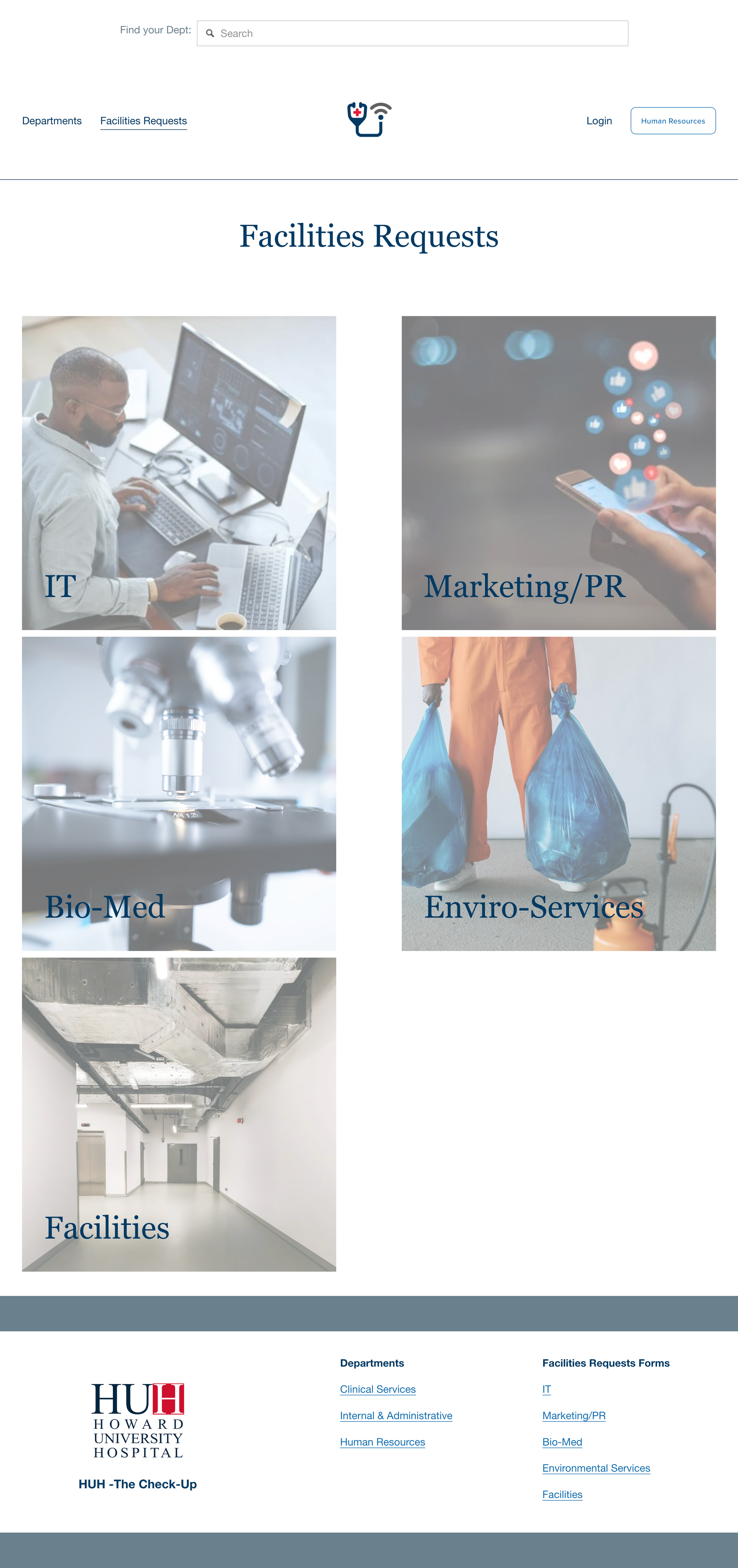
Facilities Requests provides direct access to commonly needed operational services, separating task-based requests from the broader department directory.
KEY FEATURES:
-
Requests are organized around what employees need to accomplish rather than requiring them to determine which department owns a particular task.
-
IT, Marketing/PR, Bio-Med, Environmental Services, and Facilities provide clear entry points to commonly requested operational support.
-
Large imagery and straightforward labels make service categories easy to recognize and select.
-
Facilities Requests remains part of the intranet's primary navigation, allowing employees to reach operational services without working back through the department hierarchy.
CUSTOM FAVICON: BRANDING AND RECOGNITION

-
A unique and easily identifiable icon representing the HUH brand.
-
Improves visibility in browser tabs, bookmarks, and search results.